EXP file viewer
Drop an EXP file to see the stitches, the color stops and the size before it goes on your Bernina or Melco machine.
EXP is the Melco expanded format, and Bernina embroidery machines read it too. Like DST, an EXP file holds needle moves and color changes but no thread colors. Bernina often ships a small .INF file next to the EXP to carry the colors.
So when you open an EXP on its own, any viewer has to guess the colors. This one shows each color stop in its own shade, the stitch count and the real size, which is what you need to check before sewing. Our example below is the same design as the other viewers, saved as EXP.
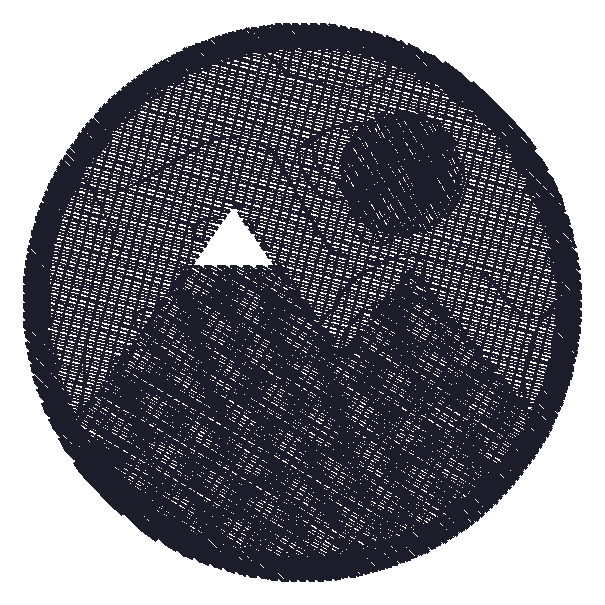
What the viewer shows for a EXP file
Our own test design saved as EXP: 5,847 stitches, 69.6 × 69.6 mm, and no thread colors, because EXP does not store them. Each color stop is shown in a stand-in shade.
Download this EXP sample to try itMachines that read EXP
From the makers' published specs, these machines on our list read EXP:
- Bernina 700 E
- Bernina 500 E
Getting a EXP file onto the machine
- Check it here first. Open the EXP and read the width, height and color stops. The design has to fit the hoop you will use.
- Keep the .INF with it. If the EXP came with an .INF file of the same name, copy both together. The machine reads the colors from it.
- Load it on the machine. Bernina machines take designs from a USB stick. Copy the files, plug in the stick, and pick the design on the machine screen.
Common problems with EXP files
No colors, or the wrong ones
The EXP has no colors of its own. Without its .INF file, the machine shows defaults. Thread by the color order instead.
The design will not show up
It may be bigger than the hoop the machine has selected, or in a folder the machine does not look in. Check the size here and the folder in the manual.
You have only the .INF
The .INF holds colors, not stitches. You need the .EXP file itself to see or sew the design.
It looks fine but sews badly
Long stitches and tiny ones do not show as problems on screen. The free checker finds them.
Too many color stops
Each stop is one thread change. An EXP made from a busy design can have more stops than it needs; the stitch file itself cannot merge them, so sew similar colors with one thread.
Questions
How do I open an EXP embroidery file?
Drop it into the viewer on this page. You see the stitches, color stops and size in your browser, free and without software.
Which machines use EXP files?
Bernina embroidery machines, such as the 700 E and 500 E on our machine list, and Melco commercial machines.
What is the .INF file next to my EXP?
It carries the thread colors for the EXP, which has none of its own. Keep the two files together.
Can I convert EXP to PES?
Yes, with the free converter. The stitches stay the same, and the result gets Brother thread colors to stand in.
Is an EXP file the same as an EXP from other programs?
No. Other programs use .exp for unrelated files. This viewer reads only EXP embroidery files.
Why does the same design look different in other viewers?
Without colors in the file, each program picks its own stand-in shades. The stitches and the size are the same everywhere.
Convert a EXP file, or open another format
Have a picture instead of a file? Make a EXP file from your own picture, with a verdict before you pay.