Will this embroidery design sew well?
By BobbinBot. Published .
Check the file for three faults before you sew: stitches too long to hold, stitches too short to sew cleanly, and long jumps with no trim. Our free checker finds all three and writes a fixed copy.
The three faults a file can have
A stitch file can open fine in a viewer and still sew badly. Most of the trouble comes from three kinds of moves. These are the limits our checker uses, from config/thresholds.json.
| Fault | Our limit | What it does on the machine | What the fix does |
|---|---|---|---|
| Long stitches | Over 7 mm | A long loose stitch can snag and pull out of shape. | Splits it into stitches of at most 6 mm. |
| Tiny stitches | Under 0.5 mm | Many of them in a row can jam the needle and build a knot. | Removes them, keeping the shape. |
| Long jumps with no trim | Over 8 mm | The machine moves without cutting, leaving a loose thread across the design. | Adds a trim before the jump. |
A short stitch used to lock the thread at the start or end of a section is fine, and the checker leaves those alone. And a long move is often written as several jumps in a row, because DST and EXP limit each one; the checker counts such a move once, and adds one trim to it.
A faulty file through the checker
We made a small file with all three faults on purpose: a block of normal stitches, a row of 0.3 mm stitches between normal ones, one 16 mm stitch and a 38 mm jump with no trim. We saved it as EXP, which keeps the jump exactly as written, and ran it through the same check our free tool uses.
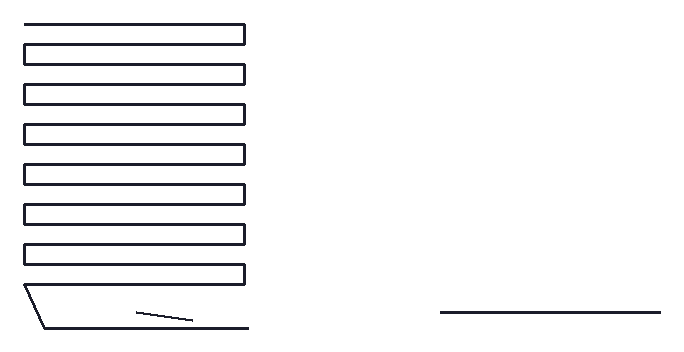
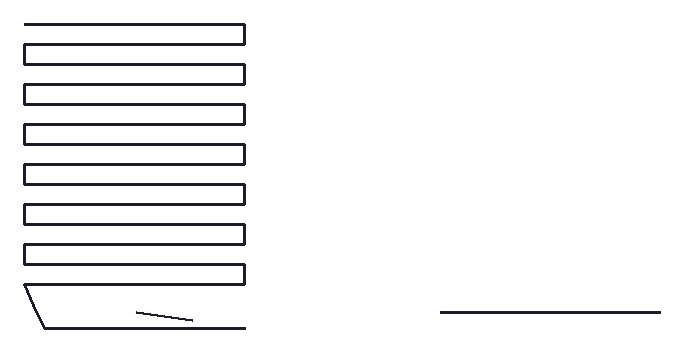
| Before | After the fixes | |
|---|---|---|
| Stitches | 201 | 193 |
| Tiny stitches | 10 | 0 |
| Long stitches | 1 | 0 |
| Long jumps with no trim | 1 | 0 |
The fixes removed 10 tiny stitches, split the long stitch with 2 new needle points, and added 1 trim. The two pictures look almost the same, which is the point: the faults are in the moves, not in the shape, so you cannot see them in a picture of the design.
Check your own file
Upload a PES, DST, JEF or another stitch file. You get the report and a fixed copy, free.
What a checker cannot tell you
- Whether the design looks like your picture. Open it in a viewer and compare.
- Whether it fits your hoop. The viewer shows the size; the machine finder lists hoops.
- Whether the density suits your fabric. A fill made for denim can pucker a t-shirt.
- Whether your machine is set up well: thread tension, needle and bobbin are outside any file.
- What colors to use, if the file is a DST or EXP. Those formats store no colors; see the DST format.
Before the first sew-out
- Run the file through the checker and use the fixed copy.
- Check the size against your hoop, with a little room around the edges.
- Write down the colors in sewing order.
- Pick the stabilizer and needle for the fabric; our stabilizer guide has a table.
- Sew it on scrap of the same fabric first.
How BobbinBot's verdict uses the same checks
Every design BobbinBot makes goes through these same measurements before you see it, plus a few more: whether the stitches cover the shapes, whether it fits a hoop on your machine, and whether it is too tall for the item. The result is the green, yellow or red verdict, with the reasons in plain words. Our guide to how auto digitizing works shows one design going through it.
Questions
How do I know if an embroidery file will sew well?
Run it through a checker for long stitches, tiny stitches and untrimmed jumps, then sew a test on scrap. A file can look perfect and still have those faults.
Why does my machine keep jamming on one part of a design?
Often there are many tiny stitches in that spot. Our checker counts stitches under 0.5 mm and removes them in the fixed copy.
What is a jump stitch without a trim?
A move from one part of the design to another where the thread is not cut. It leaves a loose thread across the design.
Is the checker free?
Yes. Upload the file, get the report and a fixed copy. No account, and the file is not kept.
Which formats can the checker read?
PES, DST, EXP, JEF, VP3, XXX, U01, PEC and TBF. It writes the fixed copy in the same format.
Does fixing the file change my design?
Not its shape. It splits long stitches, removes tiny ones and adds trims. Colors and the stitch path stay as they were.
Sources
Related
Turn your picture into a stitch file
Upload a logo, a drawing or a name. You see the stitches and a green, yellow or red verdict before you pay, and every machine format comes in one download.